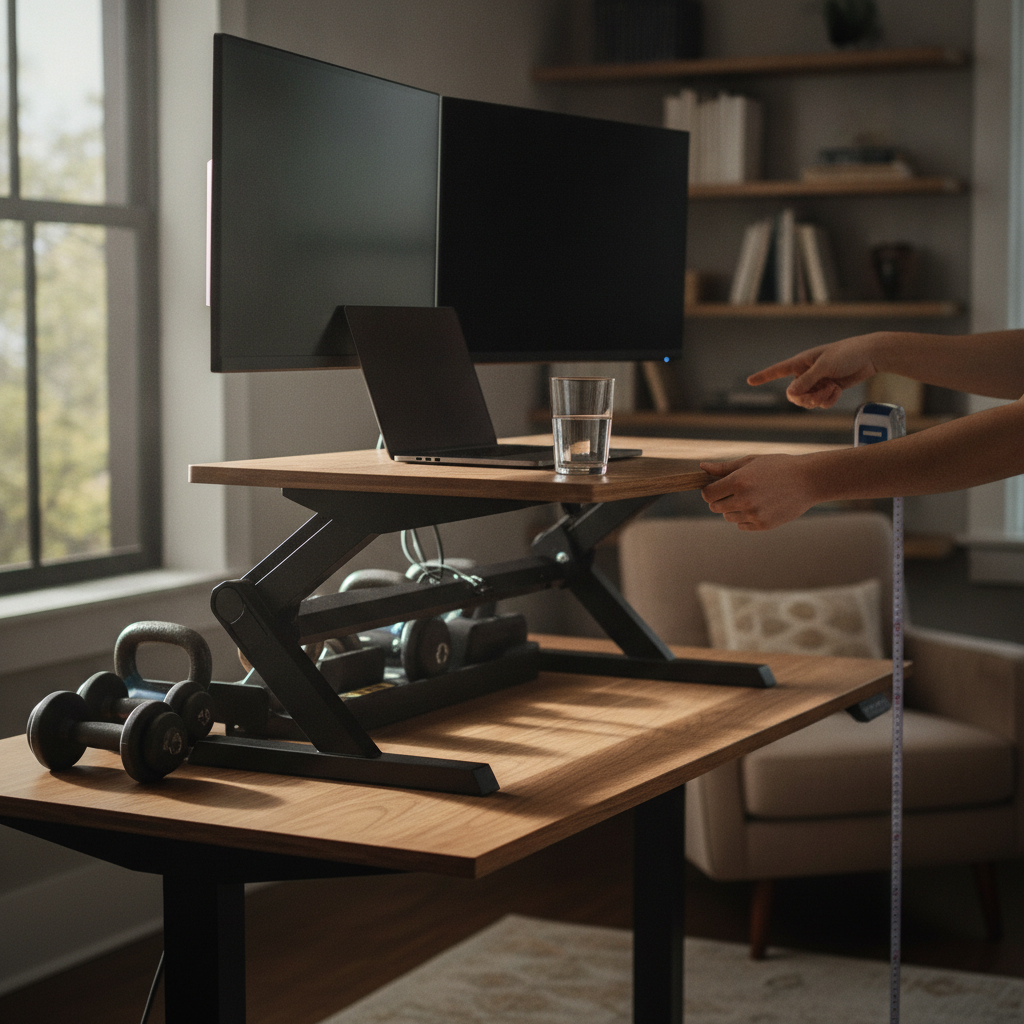
Shopping for a standing desk converter is one of those experiences that looks straightforward until you're standing at a fully extended unit watching your monitor wobble every time you move your mouse. Weight capacity numbers are plastered across every product listing, but they tell you almost nothing about how stable the converter will actually feel during real use. Stability at height is the metric that matters most, and it's also the one most manufacturers hope you won't think to ask about.
Why Weight Capacity Is a Misleading Number
Weight capacity refers to the maximum load a converter can hold without structurally failing — not how rigid it feels under normal conditions. A unit rated for 35 pounds might sag, sway, or vibrate noticeably at just 15 pounds when fully extended. This distinction is enormous in practice. Brands like Varidesk and FlexiSpot often list impressive weight limits, but the real-world feel at 46 or 50 centimeters of elevation can vary dramatically between models. The rating is an engineering floor, not a quality ceiling. Treat it as a basic filter, not the deciding factor.
Testing the Base Footprint Before You Commit
The footprint of the converter's base is one of the strongest predictors of stability. A wider base creates more leverage resistance, meaning it takes more force to tip or wobble the unit. When you're evaluating options in a store or during a return window, push gently on the front edge of the surface at full height and feel how much the unit moves. A narrow, Z-lift style frame with a compact base will almost always flex more than a wider, dual-column frame. This single test tells you more than five minutes of reading specs ever will.
How Column Design Affects Wobble at Full Extension
The structural column — the mechanism that actually raises and lowers the work surface — is where most stability problems originate. Single-post designs have an inherent weak point at the pivot joint, while dual-column designs distribute load more evenly and resist lateral sway much better. When you're comparing models from brands like Ergotron or Mount-It, look specifically at whether the columns lock into discrete notches or float in a continuous track. Notched systems tend to feel more rigid at height because there's a positive mechanical stop rather than a friction-based hold.
What Keyboard Tray Placement Tells You About Engineering
Converters with a lower keyboard tray might seem ergonomically thoughtful, but that extended reach point introduces a secondary lever arm that amplifies wobble. Every time you type, you're applying horizontal force to a surface that hangs several inches below and in front of the main platform. On a well-engineered unit, that tray is either supported by its own column brace or sits close enough to the primary frame that the movement is minimal. If the keyboard tray swings or dips noticeably when you rest your hands on it at full extension, that unit will feel frustrating within a week of daily use.
Using the Return Window as a Real Stability Lab
The best way to evaluate a converter is to actually use it at your real working height for several days before your return window closes. Most major retailers offer at least a two-week return period, and that time is genuinely useful here. Set the unit to your preferred standing height, load it with your actual monitor and peripherals, and then pay attention to how the surface responds during normal activity — typing fast, reaching for a drink, adjusting your mouse. Vibration that seems minor in a showroom feels amplifying over a full workday. Don't skip this step.
Reading the Frame Material Beyond the Marketing Language
Steel frames are almost universally more rigid than aluminum at equivalent thickness, and aluminum outperforms plastic composite in every meaningful way. Many product listings will simply say "heavy-duty construction" without specifying what the uprights are actually made of. Go a level deeper by checking the product manual or the assembly guide, both of which are usually available as PDFs before purchase. The material spec matters especially at the column joints and the gas spring housing, which are the two points under the most stress during extension.
Why Monitor Arm Compatibility Changes the Stability Equation
If you plan to mount your monitor on a separate arm rather than resting it directly on the converter surface, the physics of stability shift. An arm extends the monitor forward and upward from the mounting point, creating a cantilevered load that the converter's surface has to resist. Cheaper converters with flexible surface mounts will amplify this force and wobble significantly. Before buying, confirm that the converter's surface is solid enough to hold a VESA mount without flex, and test this specifically at your intended height rather than at the lowest position.
The Tapping Test: Simple, Honest, and Underused
One of the most reliable informal tests for stability is simply tapping the surface firmly with one hand while the unit sits at full height and bears a real load. A structurally sound converter will produce a dull, short vibration that dissipates quickly — like tapping a well-built table. A less stable unit will ring or oscillate noticeably, and you can feel the energy traveling through the frame. This works in stores, during a home trial, or even while watching a manufacturer's demo video carefully. It's not glamorous, but it cuts through marketing quickly.
A standing desk converter is only as useful as it is comfortable over repeated daily use, and comfort at height depends almost entirely on stability rather than rated capacity. By focusing on base footprint, column design, frame material, and real-world testing during your return window, you can sidestep the spec-sheet noise and make a genuinely informed choice. The number on the listing is a starting point — how the unit actually behaves under load is the whole story.