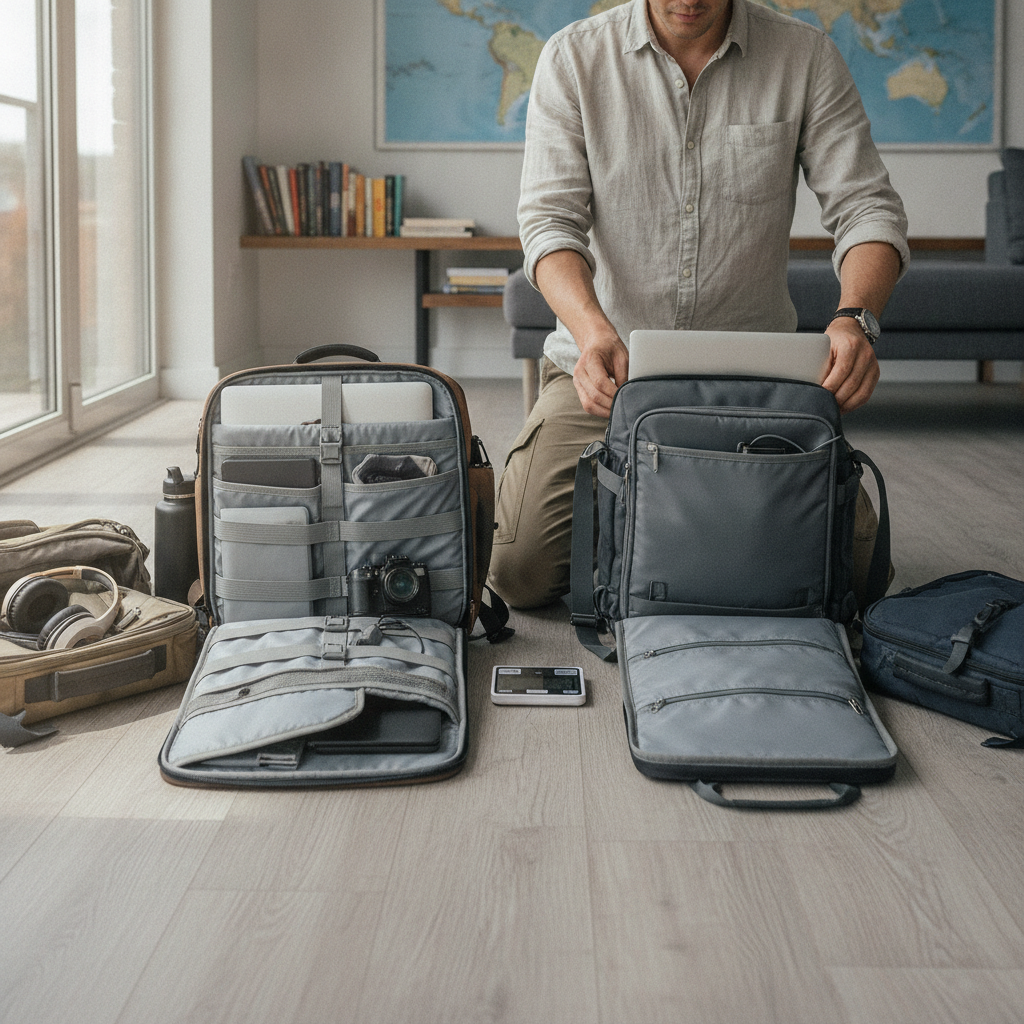
Most people shopping for a laptop bag focus on the wrong thing entirely. Pocket count gets top billing in product descriptions, but the features that determine whether a bag is genuinely comfortable to carry — and quick to use in real situations — are panel access design and weight distribution. These two qualities shape daily experience far more than how many zippered compartments a bag offers.
Understand Why Panel Access Shapes Real-World Use
Panel access refers to how and where a bag opens to reach the laptop compartment. The two dominant designs are clamshell, where the bag opens fully like a suitcase, and top-loader, where the laptop slides in from above. A third option — rear-panel or back-panel access — keeps the laptop slot flush against the wearer's back, accessible only from behind. Each design suits different routines. Frequent flyers tend to prefer rear-panel bags from brands like Timbuk2 or Osprey, since TSA checkpoints require removing the laptop, and a dedicated rear panel speeds that process considerably.
Evaluate Clamshell Versus Top-Loader Openings Honestly
Clamshell bags are easier to pack and unpack but need flat surface space to open properly — awkward on a crowded train or at a small café table. Top-loaders take up less horizontal space when opened but often require rummaging past other items to reach the laptop. The choice depends on where and how often the laptop gets pulled out. Someone moving between client meetings in a city will have different needs than a remote worker who opens the bag once at a coffee shop and stays for hours. Matching the access style to the actual daily pattern makes the difference between a bag that works and one that simply holds things.
Learn How Weight Distribution Affects Long Carry Days
Weight distribution is the mechanical relationship between where mass sits in a bag and where the body absorbs that load. A bag with a laptop positioned near the top, away from the body's center of gravity, pulls backward on the shoulders and increases perceived weight significantly. Bags that place the laptop compartment against the back panel — a design principle used consistently by brands like Aer and Peak Design — shift load closer to the spine, reducing strain over long carry periods. Padding placement on the shoulder straps and back panel also redistributes contact pressure, which matters more than raw weight on any carry longer than an hour.
Look Past Shoulder Strap Padding to Load Path Design
Thick shoulder strap padding feels reassuring in-store but tells only part of the story. The load path — meaning the structural channel through which weight travels from the bag to the body — determines how efficiently a bag carries its contents. Wide, shaped straps that wrap slightly around the shoulder transfer load more evenly than flat, narrow straps, regardless of how much foam either contains. Sternum straps, offered on some commuter bags from brands like Tortuga, pull the shoulder straps inward and prevent lateral slipping, which reduces the constant micro-adjustments that cause fatigue. A bag that stays stable requires less muscular compensation throughout the day.
Check Frame Construction Before Trusting Bag Shape
Some bags hold their shape through internal frame sheets — thin panels of plastic or aluminum sewn into the back panel — while others rely purely on fabric tension and the contents inside. Frame sheets matter because they prevent the bag from collapsing into the wearer's back when partially empty, which creates uneven pressure points. They also protect the laptop from flex stress during bumpy commutes. Checking product specifications for internal structure — or, better, handling the bag empty in a store — reveals whether the shape is structural or decorative. A bag that collapses when empty will never carry a laptop comfortably when full.
Apply These Standards When You're Ready to Buy
When you're comparing options, start by identifying how frequently you pull the laptop out each day and where that typically happens. From there, filter by access design — clamshell for desk-to-desk routines, rear-panel for travel, top-loader for light daily carry. Then pick up each candidate bag and hold it by the shoulder straps while empty; a well-balanced bag will hang close to the back naturally rather than swinging forward. Look for back-panel laptop placement in the product specs, and check whether shoulder straps are shaped or flat. If possible, load the bag with a similarly weighted item before buying and walk around the store for a few minutes. That test tells you more than any product description can.
Storage count will always be the easiest spec to compare on a product page, but it's rarely the spec that determines satisfaction after two weeks of daily use. A bag that opens efficiently, sits close to the spine, and distributes load without pulling creates a noticeably different carrying experience — one worth taking the time to find before committing.